
Messenger Kids – The Messaging
Meta Platforms, Inc.Communication
3.842.53K Reviews
- Version
- 332.0.0.64.215
- Installs
- 50.00M
- Age Rating
- Everyone
Screenshots
Our Review of Messenger Kids – The Messaging
 Analysis by Appyee
Messenger Kids is one of those apps that makes sense only when you look at the family routine around it. I found it less like a miniature version of an adult chat service and more like a controlled way for children to stay in touch with people their parents already trust. That difference matters. The app is free, aimed at Everyone, and focuses on video calls and messages with family members and close friends rather than open-ended social discovery.
Developed by Meta Platforms, Inc., it belongs to the communication category and has been available since February 14, 2018. Its current version is 326.0.0.48.165, and it has passed the fifty-million-install mark. Those figures show that it is not a niche experiment, but popularity alone does not make it suitable for every household. I would recommend it most strongly to families who want a child-friendly contact space and are willing to spend time managing the adult side of the experience.
How the everyday family workflow feels
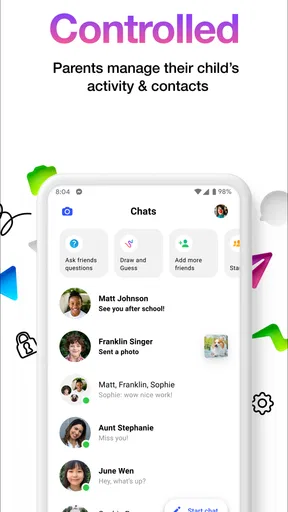
The basic routine is straightforward: a parent sets up the child’s experience, approved contacts are added, and the child uses the app to message or start a video call with those people. In my view, the important design choice is the emphasis on known contacts. A child is not being asked to build a public profile or search through a broad community. The usefulness comes from keeping communication close to home, grandparents, cousins, classmates, or family friends.
A realistic example is a child coming home from school while a parent is still working. Instead of handing over an adult messaging account, the parent can let the child contact an approved relative through the dedicated app. The child might send a short message, make a video call, or share a moment from the day. For grandparents, that can be a simple way to maintain a regular connection without requiring them to navigate a child’s wider online presence.
I also found that the app works best when the family agrees on a small routine rather than treating it as an always-open channel. For example, a child might use it after homework to call a parent who is away, or on a weekend to speak with relatives. This makes the app feel purposeful and reduces the chance that the device becomes a constant source of interruptions.
The child-facing experience is intentionally easier to approach than a full adult messenger. That simplicity is helpful for younger users, but it also means children may need an adult to explain basic habits: when to call, what kind of message is appropriate, and what to do if a conversation feels uncomfortable. The app can support a safer contact list, but it cannot replace family guidance.
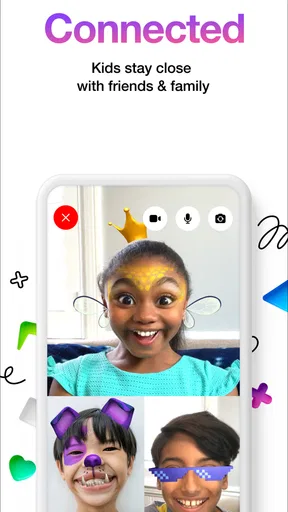
One practical point is that both sides of a call need to be comfortable with video communication. A child may enjoy seeing relatives on screen, while another may prefer short written messages. I would not force video as the default family ritual. Letting the child choose between messaging and calling makes the tool feel less like a supervised obligation and more like a useful way to communicate.
The parent setup is part of the product
It is easy to think of Messenger Kids as something a child opens and uses alone, but the adult setup determines much of its value. I would treat the parent’s configuration as a first step, not an administrative chore to rush through. Before handing over the device, decide which people genuinely need access and explain to those contacts how the child is likely to use the app.
This is especially important in larger families. Adding every possible relative can make the contact area noisy, while adding only one person may make the app feel restrictive. A smaller list is usually easier for a child to understand. It also gives parents a clearer picture of who the child is communicating with, which is one of the main reasons to choose a child-focused messenger over an ordinary account.
Another useful habit is to review the contact arrangement after changes in family life. New relatives, school friendships, travel, or a change in custody arrangements can all affect who should remain available. I would not assume that the original setup will stay right forever. A quick review every so often is more useful than setting it once and forgetting it.
Settings that deserve attention
The most valuable settings are the ones that shape who can communicate with the child and how the app fits into the household’s schedule. I would start by checking the approved contacts carefully, then look at the available parent controls and activity-related options rather than accepting every default automatically.
Experienced users should also think about the device itself. If a child uses a shared tablet, the family should agree on when that tablet is available and where it is kept. If the app is installed on a personal device, the parent should still make sure the child knows how to return to the app and how to ask for help. The best configuration is not necessarily the one with the most controls; it is the one the family can understand and maintain consistently.
Notifications deserve a deliberate decision. A child may benefit from knowing that a parent or grandparent has sent a message, but constant alerts can interrupt meals, schoolwork, or bedtime. I prefer a routine where notifications are useful during agreed periods and less intrusive at other times. If the device offers broader notification controls, use them to support the household schedule rather than allowing every message to demand immediate attention.
Parents should also discuss privacy in language a child can actually remember. A simple rule such as “only talk to people on your approved list” is more practical than a long lecture about online safety. I would add a second rule: if anything feels strange, confusing, or upsetting, stop replying and tell an adult. The app’s child-oriented design helps, but a child still needs a clear response plan.
The age rating of Everyone may reassure families looking for an accessible communication tool, but it should not be interpreted as a promise that every family will find the experience effortless. Younger children may need help with reading, camera positioning, and ending calls politely. Older children may find the restricted environment too limited compared with the services their friends use. The right fit depends on maturity and family expectations, not just the label.
Small habits make the app quicker to use
There are a few repeatable patterns that make the experience smoother without requiring complicated tricks. First, keep the contact list purposeful. A child who sees only familiar people can decide more quickly whether to send a message or start a call. Second, establish a simple naming habit for messages, such as beginning with the person’s name or the reason for writing. That can make short exchanges easier to follow, especially when several conversations are active.
A third useful habit is preparing the physical space before a video call. A child can check the camera, move away from loud background noise, and make sure the device has enough battery. This sounds basic, but it prevents many of the frustrations that families wrongly blame on the app. For regular calls with relatives, keeping the device in a consistent location can also make the process more independent.
I would also teach children how to finish a conversation clearly. A quick goodbye and ending the call is better than leaving the camera running while everyone walks away. This is a small piece of digital etiquette, but it helps children understand that video calls are shared conversations, not passive windows that stay open forever.
Families can create a dependable rhythm by choosing recurring moments for communication. A weekly call with a grandparent, a short message before a trip, or a check-in when a parent is traveling gives the app a clear purpose. The benefit is not just convenience. Children often communicate more confidently when they know what kind of interaction is expected and when it normally happens.
For relatives, the best shortcut is consistency in how they respond. If one adult sends long messages, another sends only emojis, and a third calls without warning, the child may struggle to understand the pattern. Agreeing on simple expectations, such as keeping calls reasonably focused and replying in child-friendly language, makes the app more welcoming.
Where the controlled approach becomes a limitation
The same restrictions that make Messenger Kids attractive can frustrate families who want a broader communication service. It is not the right choice if your main goal is to give an older child access to a large social network, open group communities, or the full feature set of an adult messenger. In those situations, a standard messaging app may offer more flexibility, although it also requires a different level of supervision and judgment.
I would also hesitate to choose it for a household that does not want to manage contacts. The app’s strength depends on adults paying attention to the people available to the child. If nobody is prepared to review that arrangement, explain the rules, and respond to questions, the dedicated child environment loses much of its practical advantage.
Another trade-off is that the child may eventually outgrow the experience. An older child who wants more independence could see the controlled contact model as restrictive, particularly if friends communicate elsewhere. That does not make the app poor; it simply means it may be a stage in a family’s communication plan rather than a permanent replacement for every other service.
Video calling also depends on ordinary real-world conditions: the child needs a suitable device, a usable connection, and a quiet enough place to talk. When those conditions are not available, messaging may be the better option. I like that the app supports both forms of contact, because a short written exchange can be more practical than trying to arrange a perfect video conversation.
Privacy and supervision should be considered together. Some parents may appreciate the controlled environment, while others may be uncomfortable with placing a child’s communication inside a service from Meta Platforms, Inc. That is a personal decision, and I would encourage families to read the current controls carefully and decide whether the company’s broader ecosystem fits their expectations. The app’s convenience should not be the only factor.
How it compares with ordinary messaging choices
Compared with giving a child access to a normal adult messenger, Messenger Kids offers a more focused starting point. The central advantage is not that every feature is more powerful; it is that the family can define a smaller communication circle. An adult service may be better for mixed family-and-school groups, work-related contact, or teenagers who need broader compatibility with friends.
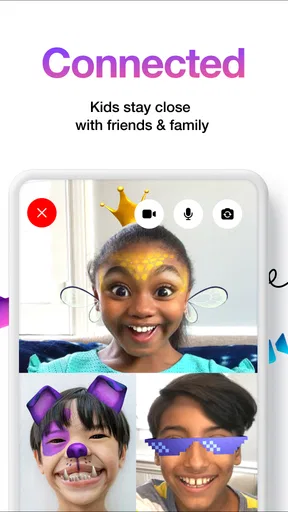
Compared with ordinary phone calls, this app adds visual contact and written messaging in one child-oriented place. That can be valuable for a child who wants to show a drawing, demonstrate a new toy, or see a distant relative’s face. A regular phone call remains simpler when the only goal is to speak briefly, so I would not install this app merely to replace a two-minute voice conversation.
Compared with a general social platform, its narrower purpose is a major benefit for younger children. There is less reason to browse aimlessly when the experience is centered on known family and close friends. For parents who want a child to practice digital communication without immediately entering a broad social environment, that distinction is meaningful.
The rating information reflects a mixed but substantial public response: the app holds an average of 3.8 from around 262 thousand ratings, with roughly 42 thousand written reviews. I would read that as a sign that families find real value in it but do not experience it identically. Communication apps are especially sensitive to device setup, family expectations, and the behavior of contacts, so a middling average is not enough to decide the question by itself.
Who should install it, and who should skip it
I think it is a strong candidate for parents of younger children who want video calls and messages with a defined group of trusted people. It is particularly useful when relatives live far away, when one parent travels, or when a child needs a simple way to reach family without receiving a full adult social account. The free price also makes it easy to test without committing to a subscription.
I would skip it if your child is already looking for open communities, broad group chats, or a less supervised social experience. I would also skip it if the adults in the household are unlikely to maintain the contact list and household rules. In that case, a simpler phone arrangement may be more honest, or an older child may be ready for a different service with clear family agreements.
Before installing, ask yourself three practical questions. Who exactly should the child contact? When should the app be used? And which adult will handle setup and periodic reviews? If the answers are clear, the app has a much better chance of becoming a calm family tool instead of another neglected icon on a tablet.
It is also worth deciding whether your child needs messaging, video calls, or both. Some families will use the camera every week, while others will mainly exchange short updates. Knowing the main purpose helps you set expectations and prevents the app from being judged against services designed for a completely different audience.
My final view after using the workflow
Messenger Kids is at its best when the family treats supervision as part of the experience, not as an optional extra. I like its focused purpose, its approachable communication style, and the way it gives children a dedicated route to trusted people. The most successful setup is not the one with the most contacts or the most frequent calls; it is the one that fits naturally into family life.
Its limitations are real. The controlled model may feel too narrow for older children, parents must stay involved, and it should not be confused with a complete replacement for every messaging need. Still, for families seeking a free communication app that keeps a child’s conversations centered on family and close friends, it is a sensible option to try.
With an average rating of 3.8 and over 50 million installs, it has clearly reached a large audience, but I would make the decision based on your household’s routine rather than its popularity. Set up the contacts carefully, agree on simple habits, review the controls from time to time, and let the child use messaging or video calls in a way that feels comfortable. Used that way, Messenger Kids becomes less about handing a child another app and more about giving them a manageable way to stay connected.
Privacy and Permissions
See what permissions an app requests and how it handles your data.
- Phone
- read phone status and identity
- Photos/Media/Files
- read the contents of your USB storage, modify or delete the contents of your USB storage
- Storage
- read the contents of your USB storage, modify or delete the contents of your USB storage
- Camera
- take pictures and videos
- Microphone
- record audio
- Wi-Fi connection information
- view Wi-Fi connections
- Device ID & call information
- read phone status and identity
- Other
- view network connections, read battery statistics, pair with Bluetooth devices, full network access, change your audio settings, run at startup, draw over other apps, control vibration, prevent device from sleeping, install shortcuts
Verdict
Strengths of Messenger Kids – The Messaging
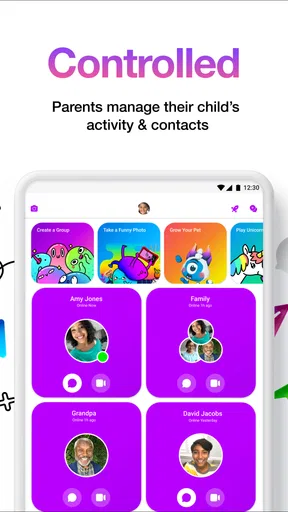
- Parent-approved contacts help limit who can message or call your child.
- Simple interface is easy for younger children to navigate independently.
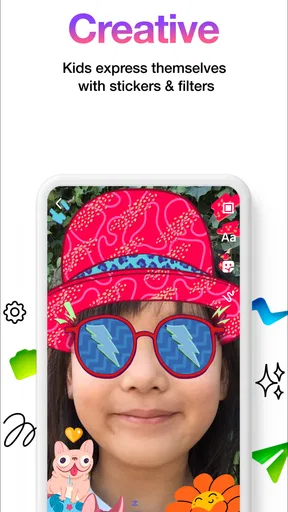
- Fun stickers, GIFs, frames, and drawing tools encourage creative chats.
- Works across Android, iPhone, and compatible tablets for flexible access.
- No phone number is required for a child’s account setup.
Limitations of Messenger Kids – The Messaging
- Requires a parent’s Facebook account and setup before children can use it.
- Some features and availability vary by country, device, or account type.
- Children may still receive unwanted content from approved contacts.
- Frequent notifications can become distracting during school or family time.
- Messenger Kids is tied to Meta’s ecosystem and raises privacy concerns for some parents.
Other Releases by Meta Platforms, Inc.
View All


Similar Picks in This Category
View All
Google Messages
Google LLC4.6

Gmail
Google LLC4.1

Google Meet
Google LLC4.4

Google Chrome
Google LLC4.1

WhatsApp Messenger
WhatsApp LLC4.6

Carrier Services
Google LLC4.2
Frequently Asked Questions
What is Messenger Kids, and who is it designed for?
Messenger Kids is a communication app created for children to chat with approved friends and family members through messages, voice calls, and video calls. It is designed for younger users who may not yet be ready for a standard messaging platform. A parent or guardian manages the child’s account, contacts, and key settings through their own Facebook account, while the child uses a simplified interface.
Do parents need a Facebook account to set up Messenger Kids?
Yes, a parent or guardian generally needs a Facebook account to create and manage a Messenger Kids profile. The child does not need a separate Facebook account. During setup, the adult can approve contacts, review activity, manage settings, and control features such as sleep mode. This arrangement gives parents more oversight than a regular messaging app, although adults should still discuss safe communication habits with their children.
Is Messenger Kids safe for children to use?
Messenger Kids includes several parental controls intended to make communication safer, including parent-approved contacts, reporting and blocking tools, and options for managing when the app can be used. However, no online service can eliminate every risk. Parents should regularly review the contact list, explain privacy and stranger-safety rules, keep the app updated, and check the device’s broader privacy settings before allowing independent use.
What can children do with Messenger Kids?
Children can use Messenger Kids to send text messages, photos, videos, stickers, GIFs, and voice recordings to approved contacts. Depending on device compatibility and regional availability, they can also make voice and video calls and use playful effects during conversations. The app focuses on communication rather than a public social feed, so children generally interact within a contact list managed by a parent or guardian.
Is Messenger Kids free, and what devices support it?
Messenger Kids is generally available as a free download, with no standard subscription required for its core messaging and calling features. It is offered for supported Android and iOS devices, although exact compatibility can depend on the operating-system version, region, and current app availability. Before downloading, parents should check the official app store listing and confirm that the child’s device has enough storage and a reliable internet connection.
